Step 1: Create a New Sharegroup
Go to the Sharegroups section in account settings.
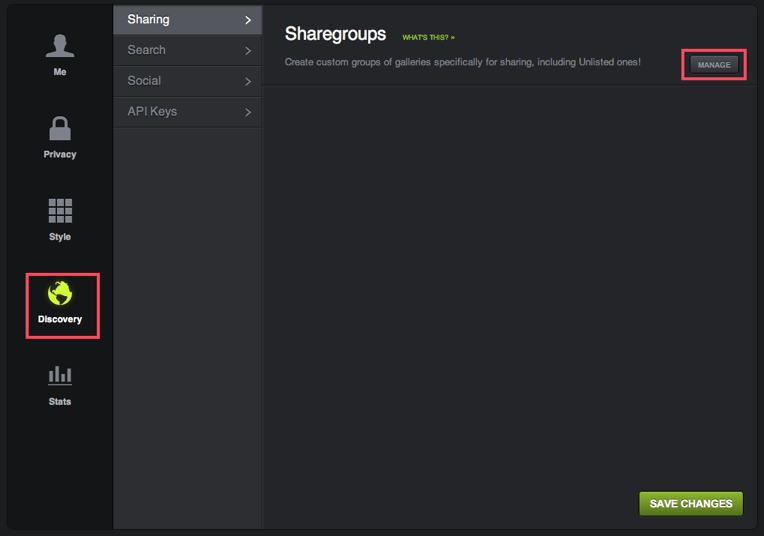
Along the left, click Discovery.
On the right, click the Manage button.
Along the left, click Discovery.
On the right, click the Manage button.
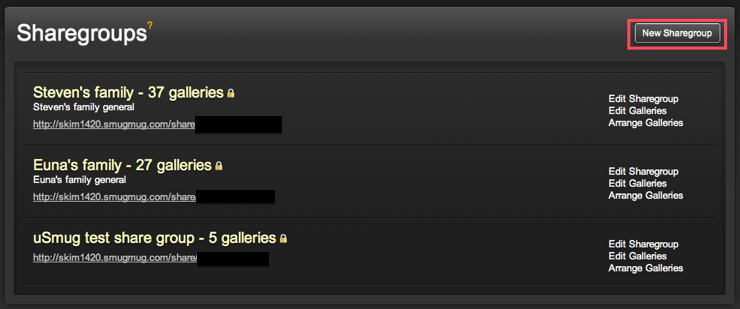
Click the New Sharegroup button.
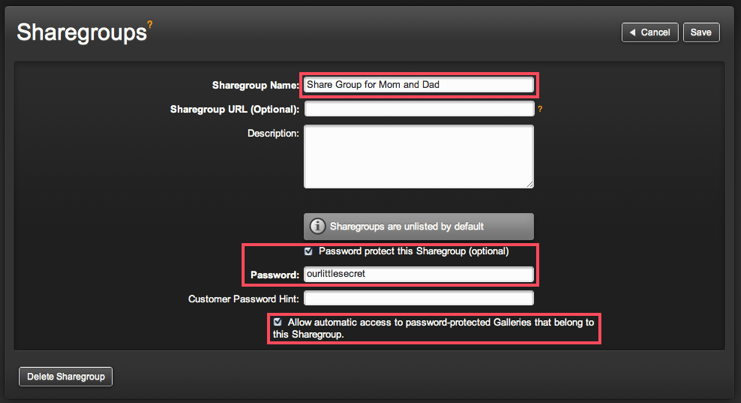
Name your Sharegroup.
Leave the Sharegroup URL blank. This will be generated for you by SmugMug.
A password is recommended.
Be sure to check the "Allow automatic access.." checkbox at the bottom.
Click the Save button at the upper right.
Leave the Sharegroup URL blank. This will be generated for you by SmugMug.
A password is recommended.
Be sure to check the "Allow automatic access.." checkbox at the bottom.
Click the Save button at the upper right.
Step 2: Select galleries to share.
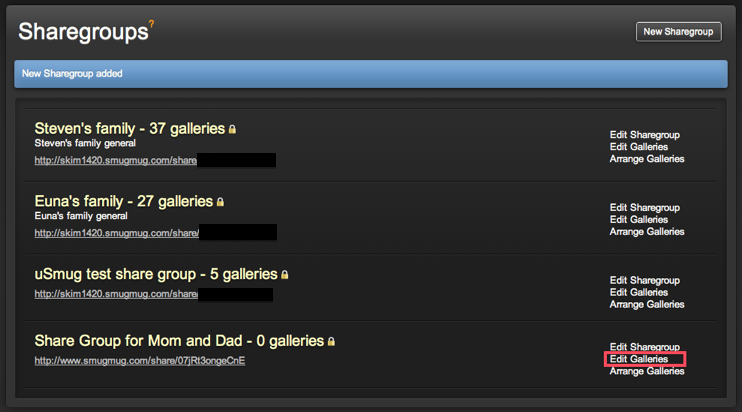
Clicking the Edit Galleries link will allow you to select the galleries you want to share via this Sharegroup.
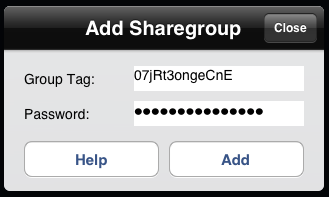
Step 3: Send the Sharegroup URL/"Tag" to your uSmug family or friend!
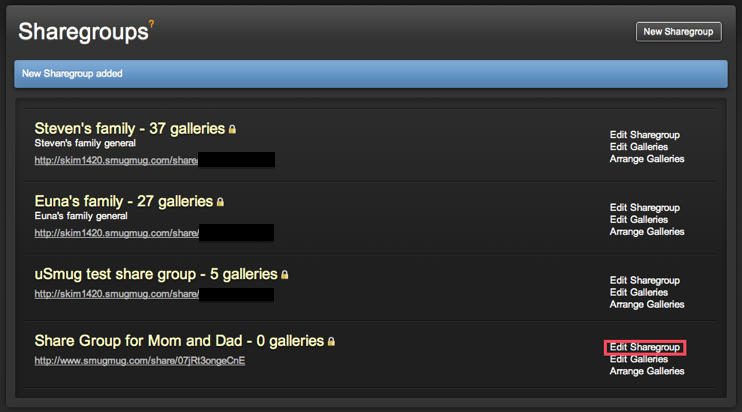
Click the Edit Sharegroup link next to the Sharegroup you just created.
The Sharegroup URL is now filled in for you.
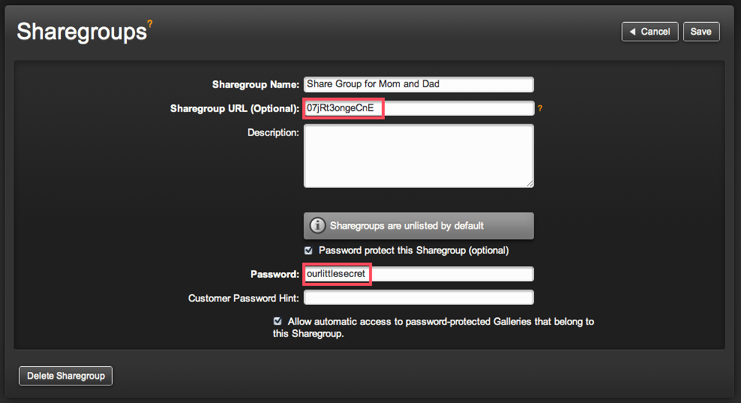
This, along with the password, is what will be input into uSmug.